How to Submit Artwork Files for Board Game Manufacturing
Submitting artwork is one of the most important handover points in a board game manufacturing project. By this stage, the quotation is usually confirmed, the components have been defined, and the next step is for the manufacturer to review the production files.
Submitting the artwork files as a well organised package makes that process much easier. It helps us identify every component, compare the specifications, sizes of the files against what is listed in the quotation, see what may still be missing, and reduce the chance of different versions being mixed together. The goal is to make the process as smooth as possible for publisher or designer and us, the manufacture. It is simply to make sure everyone is working from the same, clearly identified set of files.
Start with a Clear Folder Structure
We recommend separating artwork by component type rather than placing everything into one large folder. Our standard structure uses the following folders:
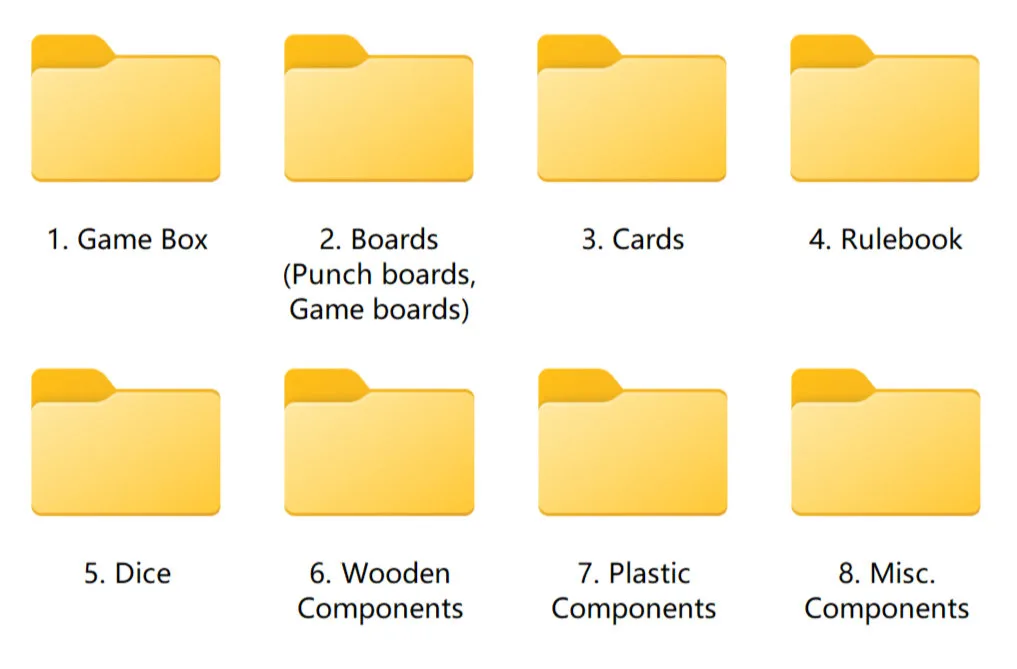
Not every project will use every folder. If your game does not contain dice or plastic components, for example, those folders can simply be left empty or removed.
You can download a .ZIP file with the folder structure already in there here.
The advantage of this structure becomes more obvious on larger games. A project may contain several boards, multiple card decks, wooden pieces, punchboards, inserts, and different packaging files. Separating them from the beginning makes it much easier for our team to review the project systematically rather than searching through one mixed collection of artwork.
Name Files to Match the Quotation
Where possible, artwork file names should use the same component names shown in the quotation. If the quotation lists “Game Box,” “Main Game Board,” “Player Board,” “Wooden Meeple,” and “63 × 88 mm Cards,” the artwork should use similar names.
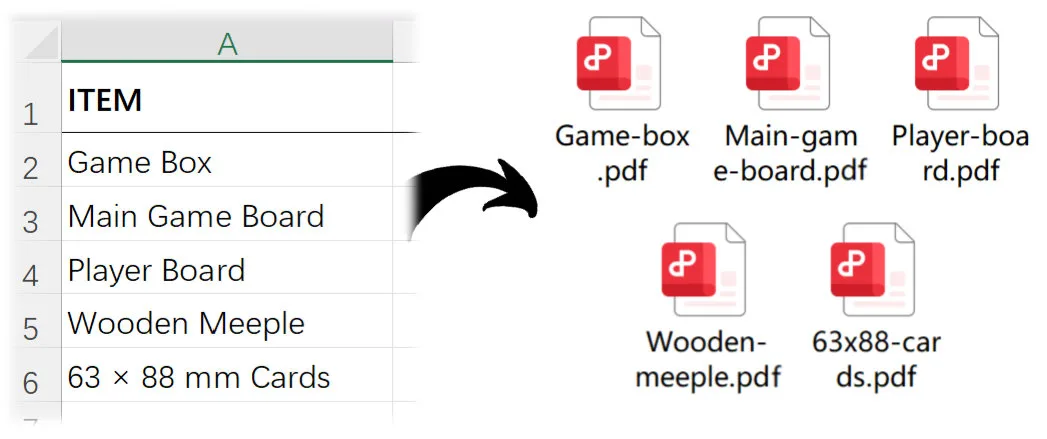
This gives us a direct connection between the component listed in the quotation and the artwork supplied for production. A file called Main-game-board.pdf is immediately understandable. A file called final.pdf is not.
Generic names such as final.ai, new version.pdf, or artwork 01.ai can become especially confusing when dozens of files are involved. They also become risky if files are downloaded, forwarded internally, or separated from their original folder.
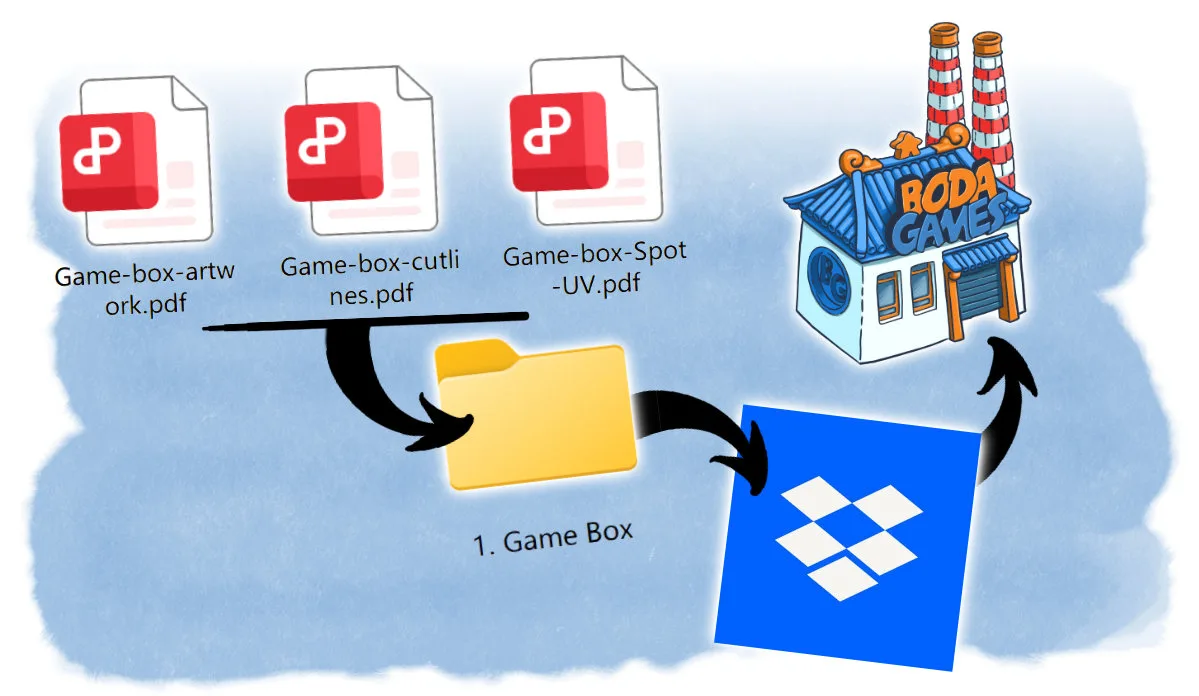
If one component requires several files, then it is best to make the purpose of each file clear. For example, the game box may have separate files for the main artwork, cut lines, and Spot UV. Names such as Game-box-artwork.pdf, Game-box-cutlines.pdf, and Game-box-Spot-UV.pdf make the relationship immediately clear.
Send Only the Current Version
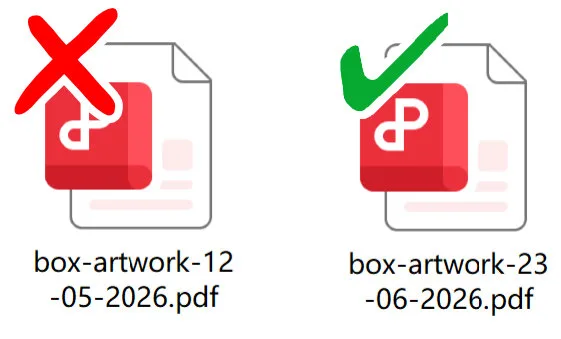
Before submitting the artwork package, remove old or superseded versions wherever possible. Keeping box-final.pdf, box-final-v2.pdf, box-final-new.pdf, and box-final-revised.pdf in the same folder creates an unnecessary question: which one is actually approved? And has a higher risk of an old file being used erroneously.
A clean submission should contain the latest version that you want us to review and use.
Send the Complete Package Whenever Possible
We also recommend sending the full set of artwork files at the same time instead of sending individual components across multiple emails or uploads.
Receiving the complete package allows us to check the project as a whole. It makes missing files easier to identify and reduces the possibility that an older file from an earlier submission is accidentally combined with a newer set.

The transfer method itself is flexible. WeTransfer, Google Drive, OneDrive, Dropbox, or another file-sharing service are all fine. What matters most is that the files are clearly organized, correctly named, and current.
A few minutes spent organizing the artwork before submission can save considerably more time during file checking and production preparation. Clear files mean fewer questions, fewer version-control problems, a faster turnaround time for the digital proofs and a quicker start of production.
Latest posts


September 15, 2026
SPIEL Essen 2026 is just around the corner, and we’re excited to be taking part once again! Taking place [...]

September 15, 2026
Submitting artwork is one of the most important handover points in a board game manufacturing project. By this stage, the [...]

July 21, 2026
Soon it will be time for the biggest board game convention in the United States, Gencon! If you’re attending [...]




 Request a quote